Audit Log
The Managed Backup service allows service providers to monitor Management Console activity for a certain period.
To access the Audit Log, the Organization > Audit Log permission should be granted as an administrator permission on the Organization > Administrators page.
This section explains how to use this feature.
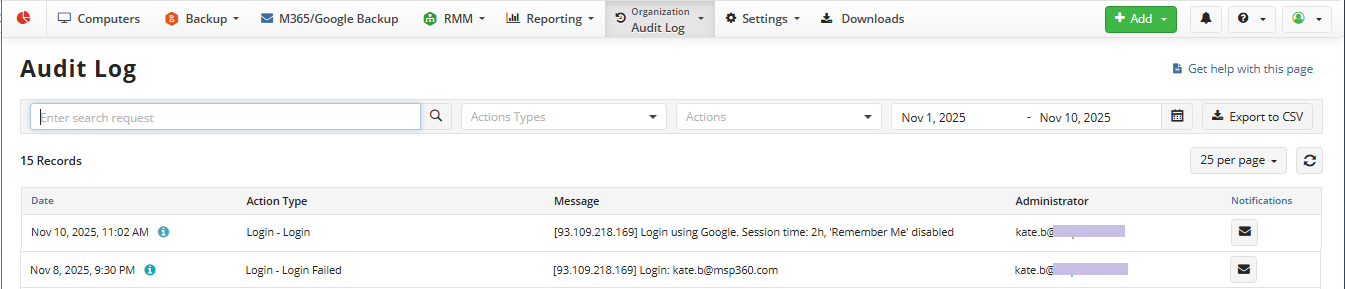
With the Audit Log, you can monitor any changes or updates that occurred with:
- Account
- User
- Administrator
- Backup Destination
- License
- Login attempts
- Monitoring records
- Package
- Backup/Restore plans, etc.
It is also possible to limit the number of entries by selecting the appropriate time period and receiving notifications about selected event classes.
Audit Log Notifications
As of Management Console 8.8, it is possible to add email notifications about specific event classes (by action type) in the Audit Log.
Add Notifications
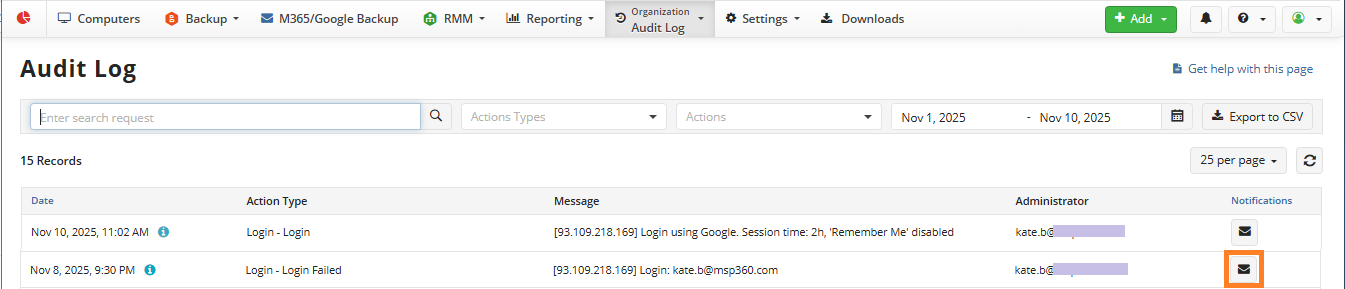
- To add a notification, on the Organization > Audit Log page, click the message icon at the end of the specific action type entry.
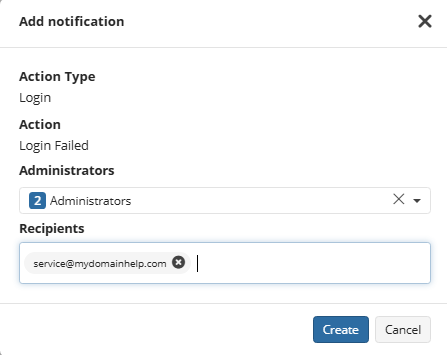
- Configure notification settings. You can select administrators to notify specified recipients about the events related to the selected administrators. Enter the recipient emails in the Recipients field to add them.
- Save the notification settings. The added notification appears in the Notifications column.
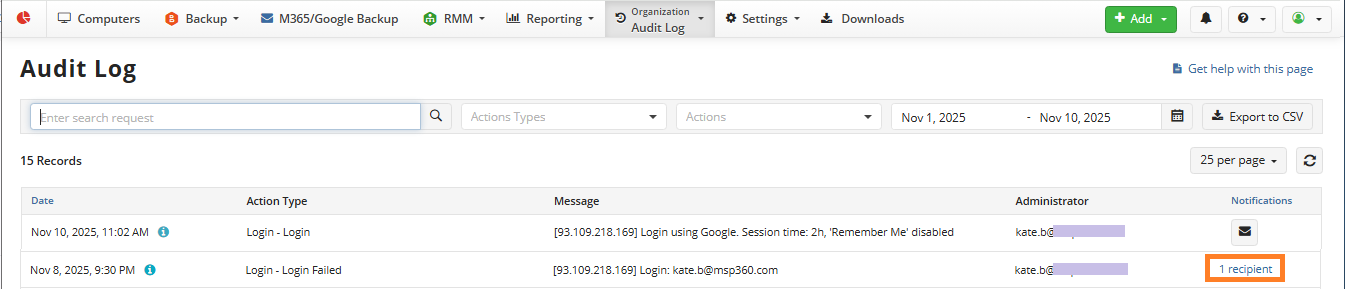
You can filter the Notifications column to view all configured email notifications by clicking the column header.
Edit Notifications
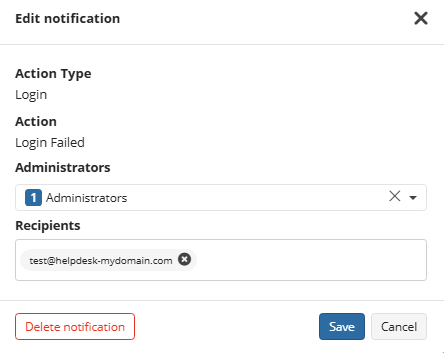
- To change the notification settings, click the notification recipients at the end of the action type entry.
- Change the notification settings as needed. Once you are happy with your changes, click Save.
Delete Notifications
- To stop notifications about a specific event class, click the notification recipients at the end of the action type entry.
- Click Delete Notification. Confirm the deletion.
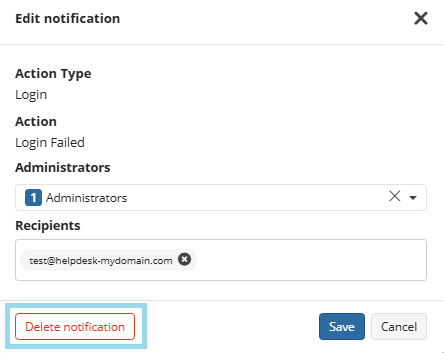
These notification recipients will no longer receive email notifications about this event class.