Products: Managed Backup (Agent), Managed Backup (Web), Licensing / Sales
Article ID: m0255Last Modified: 04-Oct-2026
Set Limits for Licenses
Licenses are assigned automatically; only their number can be limited.
License limits are set separately for each company.
Set License Limits for a Company
To apply license limits to a company, proceed as follows:
- Open the Management Console.
- In the Organization menu, select Companies.
- Find the company you want to set limits for, then click Edit.
- Switch to the License Settings tab. By default, the Limit Settings area is set to Unlimited.
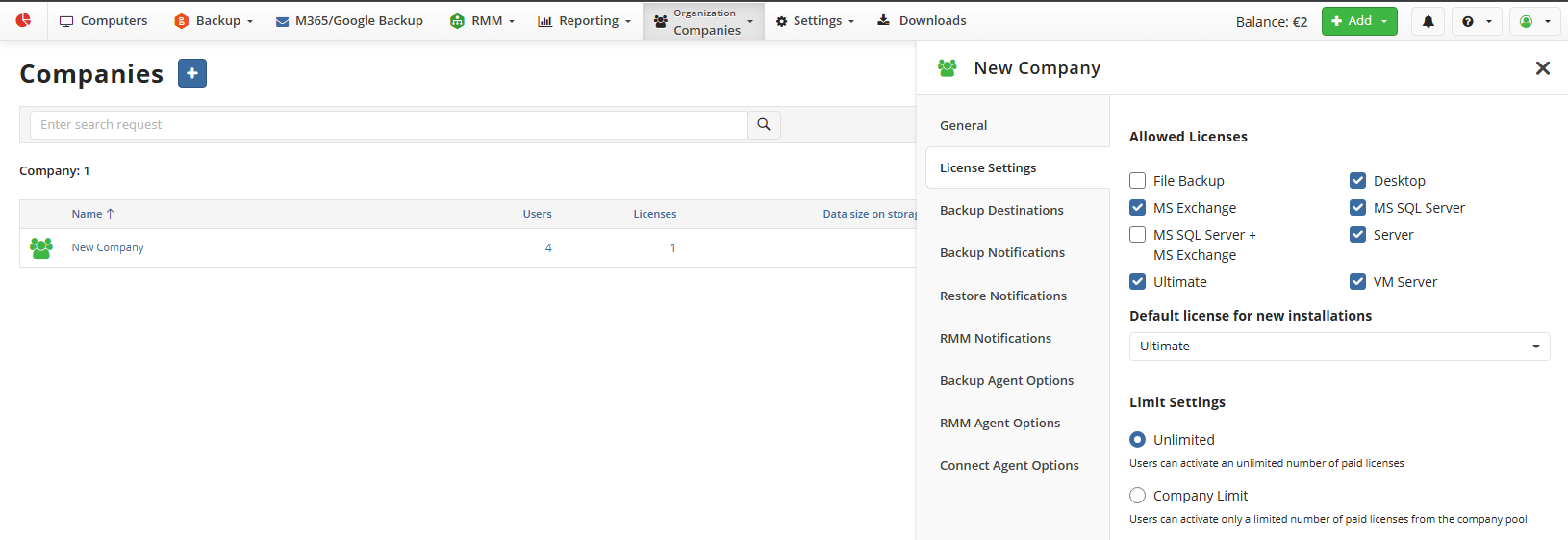
- In the Limit Settings area, select Company Limit.
- In the Company Limit column, set the required limits for the desired license types. When finished, click Save.
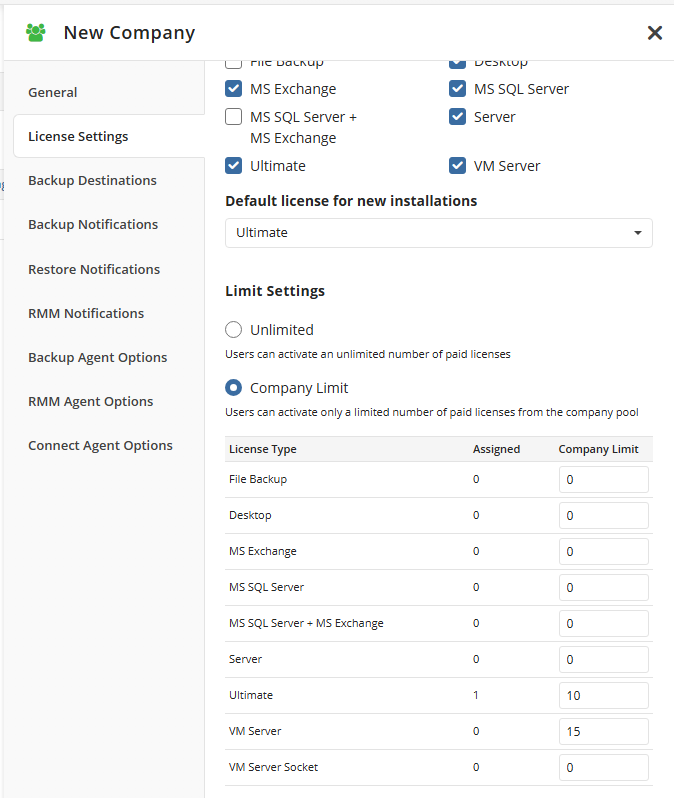
To prevent licenses of a particular type from being issued, set "0" in the Company Limit field for that type.