Renew Licenses
If you have a bundle of subscriptions/licenses, all of them are automatically renewed according to the billing period specified at the time of purchase (monthly). This applies to all successful transactions.
- Monthly renewal occurs on the first day of the month.
Note that MSP360 storage accounts (powered by AWS or Wasabi) are billed on the second or third calendar day of each month due to billing peculiarities. Bills are always monthly.
Check License Auto-Renewal Status
To check the current status, proceed as follows:
- Open the Management Console.
- On Organization > Licenses, select the license whose auto-renewal status you want to check.
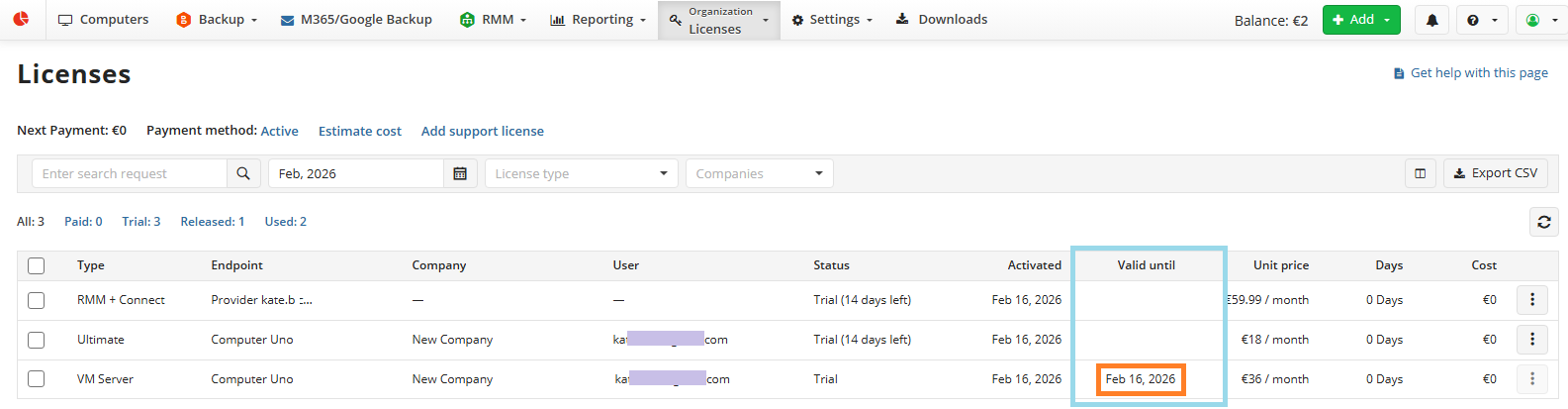
- Check the renewal status in the Valid until column. For licenses with disabled auto-renewal, this column contains the last date the license is still valid.
Enable Auto-Renewal in Bulk
To enable auto-renewal for multiple licenses/subscriptions:
- Open the Management Console.
- On Organization > Licenses, select the licenses for which you want to enable auto-renewal.
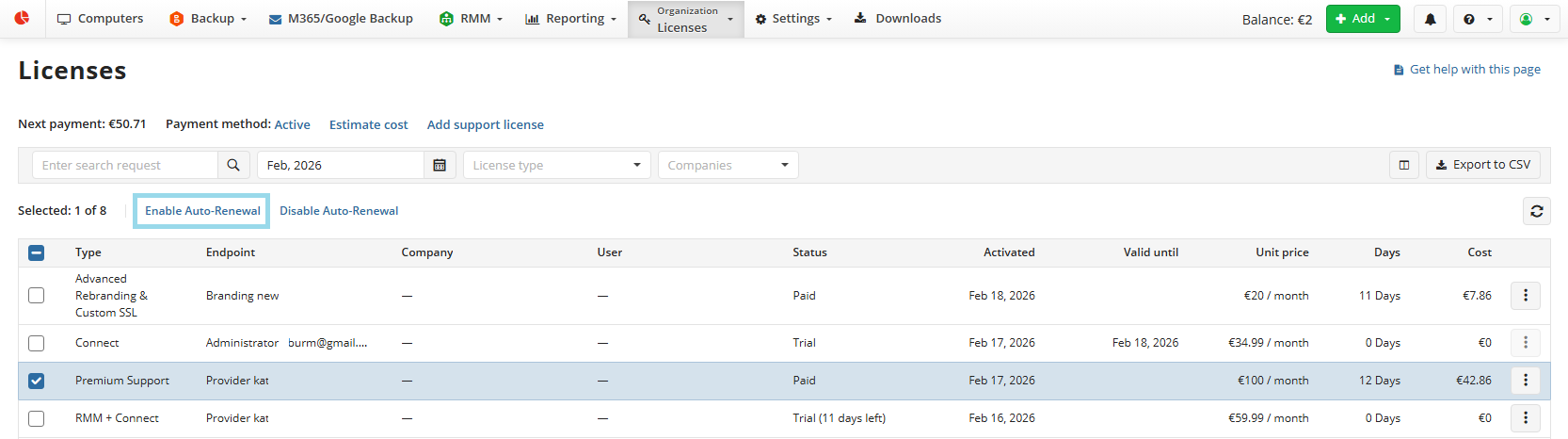
- Click Enable Auto-Renewal.
- In the Enable License Auto-Renewal dialog box, click Enable.
Auto-renewal works as follows: when licenses expire, a charge attempt is made. If the payment is successful, licenses are extended for the next billing period.
Disable Auto-Renewal in Bulk
To disable auto-renewal for multiple licenses/subscriptions:
- Open the Management Console.
- On Organization > Licenses, select the licenses for which you want to disable auto-renewal.
- Click Disable Licenses Auto-Renewal.
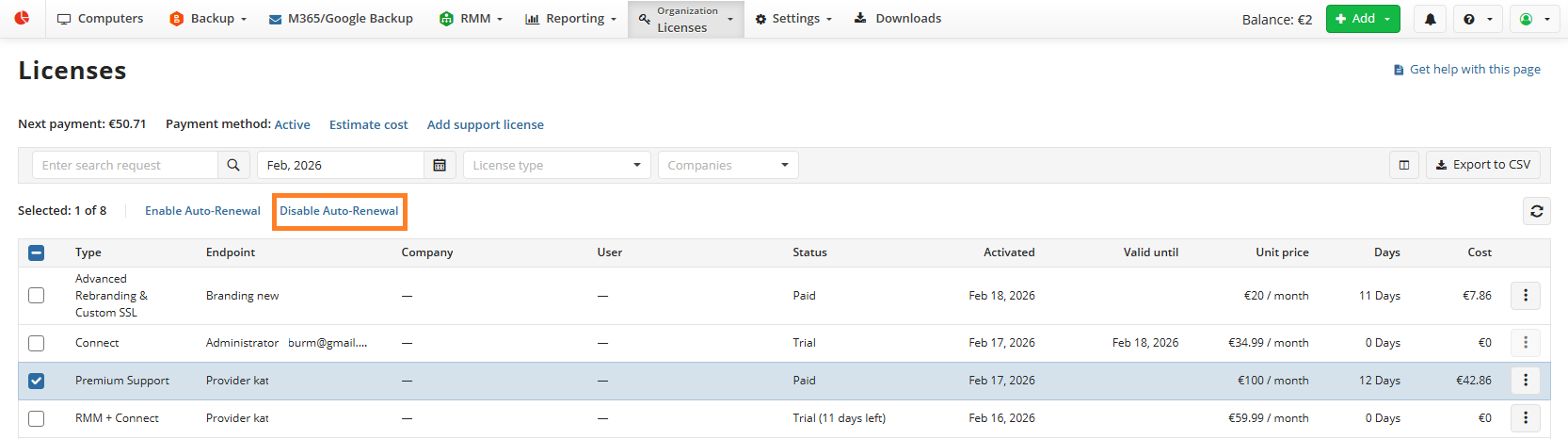
- In the Disable License Auto-Renewal dialog box, click Disable. Licenses will be discontinued the day after their expiration date. No further charges will be applied.
Disable Auto-Renewal for Specific Licenses
To disable auto-renewal for a specific license/subscription:
- Open the Management Console.
- On Organization > Licenses, find the license for which you want to disable auto-renewal.
- Expand actions and select Disable auto-renewal.
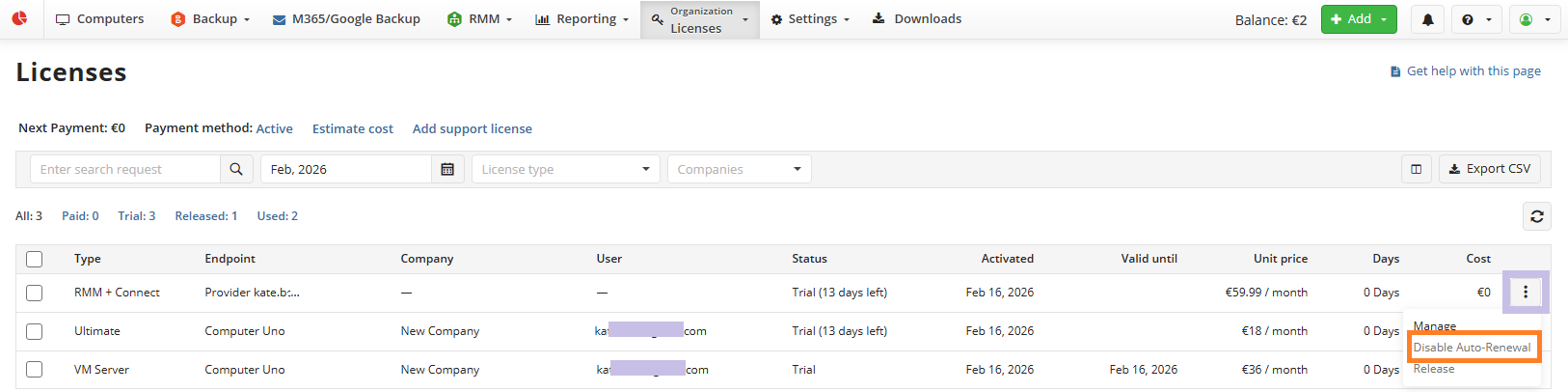
- Confirm disabling.
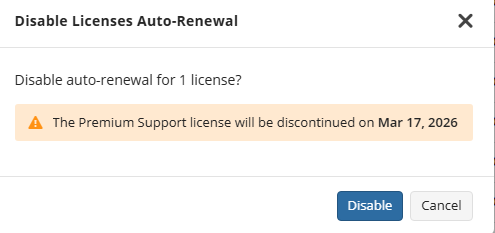
- In the Disable Licenses Auto-Renewal dialog box, click Disable.
Troubleshooting
If the licenses were not auto-renewed, make sure that:
- The Auto-Renewal status is enabled for the license.
- The credit card stored in your payment details is valid. Update your payment method, if necessary.
- You have enough balance on your card.
- The billing amount does not exceed your security limit.
To change your payment details, in the Organization menu, select Licenses, then click Update payment details next to the Subscription Status.
If auto-renewal fails, the licensing service retries the transaction 3 times, once per day. If the renewal still fails, try to renew the failed licenses manually by clicking the Renew Licenses button on the Licenses page.
If you experience difficulties, errors persist, or you have any questions about license renewal, contact us at success@msp360.com.