Products: Managed Backup (Agent), Managed Backup (Web)
Article ID: m0782
Change Licenses
To change license:
- Open the Management Console.
- On Computers, select the computer where you want to edit the license
- Click the license information link in Backup column.
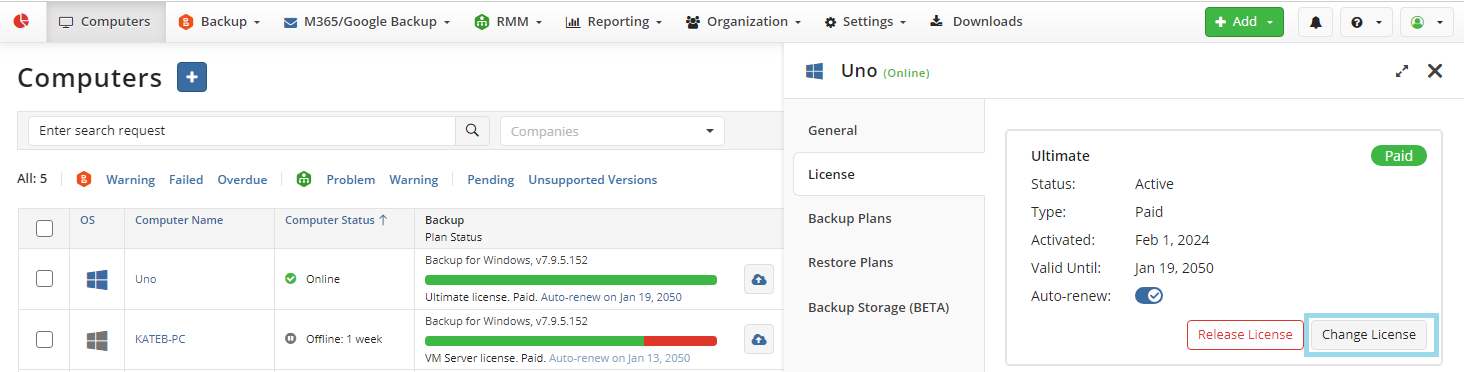
- On License tab of the side panel, click Change License.
- In the Change License dialog box, edit the license type, then select one of the available options.
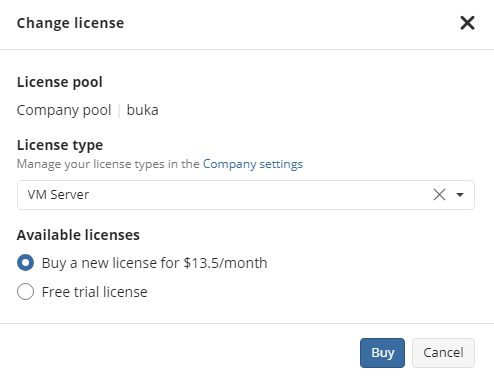
The following options can be available depending on your role:
- Use paid license, if any
- Use free trial for 14 days
- Buy a new license
- Withdraw a license from another pool
If you select to withdraw a license from another pool, this license will be no longer available in this pool.