Products: Managed Backup (Agent), Managed Backup (Web)
Article ID: m0783
Release Licenses
To release a license:
- Open the Management Console.
- On Computers, select the computer where you want to release the license.
- Click the license information link in Backup column.

- On License tab of the side panel, click Release License.
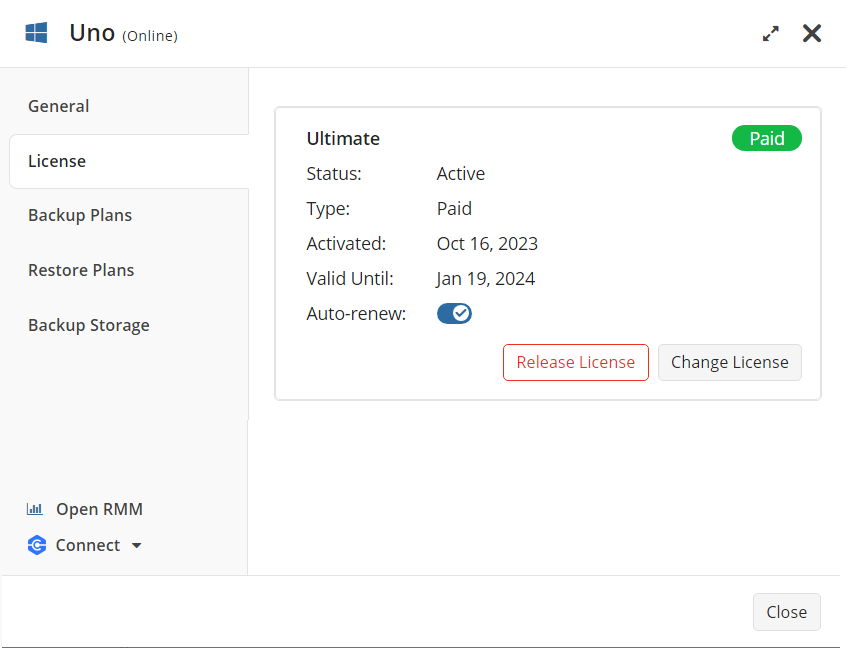
- In the Release License dialog box, click Release.
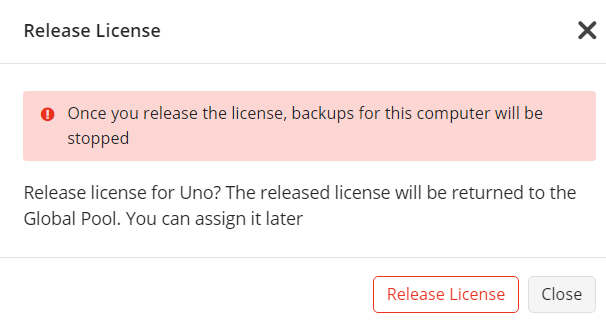
The released license will be returned to the Global pool and can be assigned again. Backups on the computer from which you released the license will be stopped. Backup data will be kept in the users' backup storage according to the retention policy. In the case of MSP360 storage usage, backup data will be kept according to the storage policy.