MSP360 (Amazon S3). Terms and Conditions
Managed Backup offers MSP360 disk space powered by AWS. By signing up for the storage service, you agree to these terms and conditions, which are subject to change at any time without notice. You also understand that this storage solution was developed in collaboration with Amazon Web Services, Inc., and is subject to AWS’s terms and conditions.
As a part of our storage offering, we provide new customers with 1TB of free storage during the trial period, which is defined as 30 days after signup. When 1TB of trial storage is consumed, or the trial period has expired, whichever comes first, you can continue to use the storage for a fee. To continue using storage after the trial period ends, you must subscribe to the MSP360 storage in order to switch the storage to paid mode, as described in Subscribe for one of MSP360 Storages.
Add MSP360 (Amazon S3) Storage Account
To add MSP360 (Amazon S3) storage account to the Managed Backup service:
- Open the Management Console.
- On Backup > Storage Accounts, click + to open the Add storage account wizard.

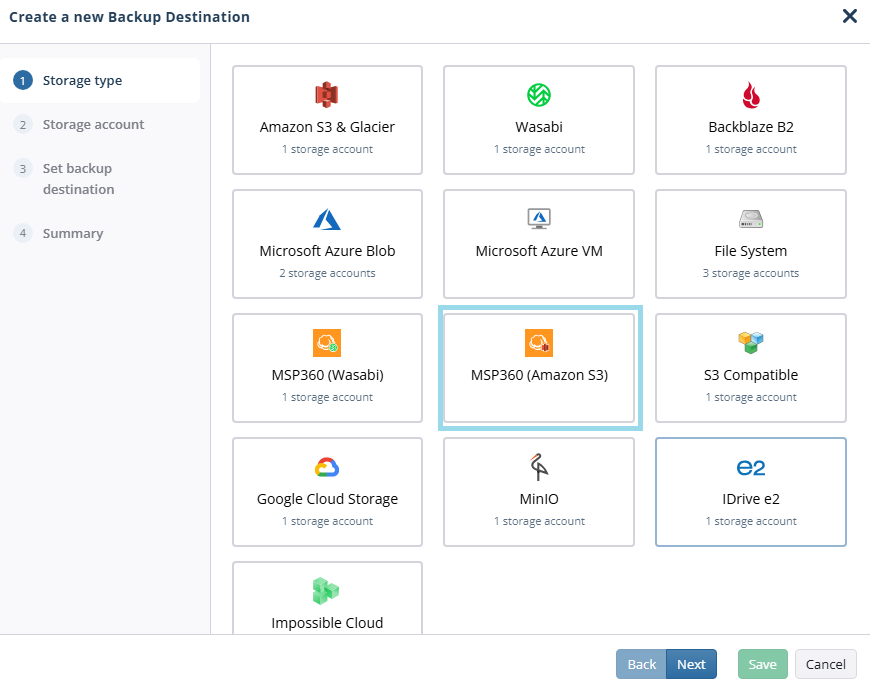
- Select MSP360 (Amazon S3). Click Next.
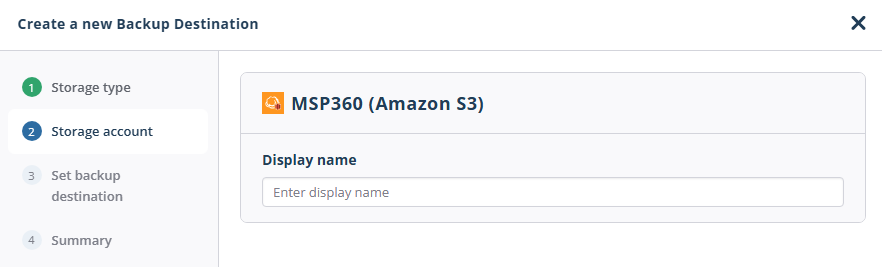
- Specify the display name for the backup destination. Click Next.
- On the Set backup destination step, in the Destination display name field, specify a name to be displayed as the backup destination name, then select a specific region from the list.
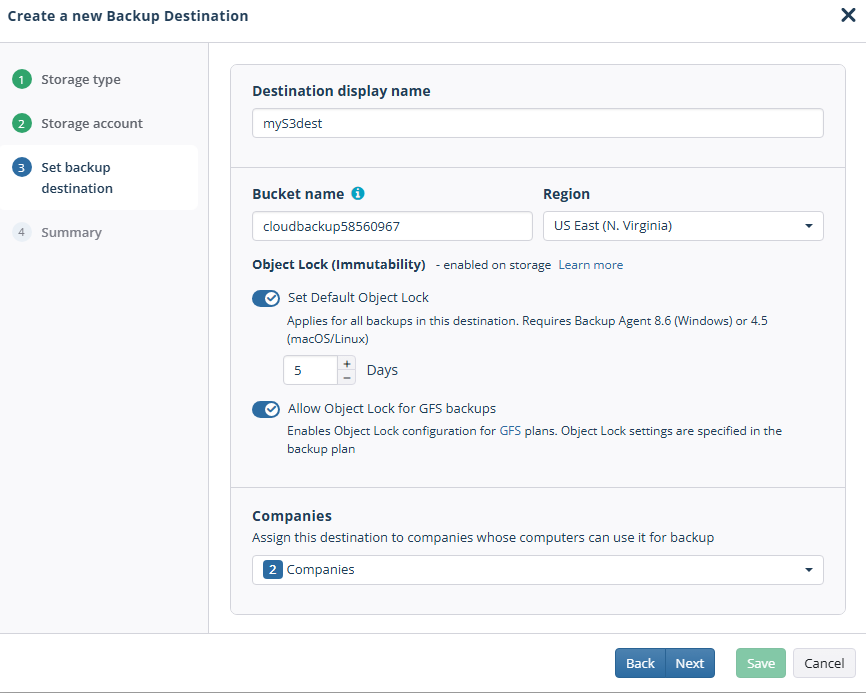
- Configure Object Lock (Immutability) features:
- For buckets with Object Lock turned on, you can enable the Default Object Lock feature.
- Enable the Object Lock for GFS backups feature. Otherwise, this functionality might be permanently disabled. Disable it if this functionality is not needed.
- Select the companies or users to assign to the storage account.
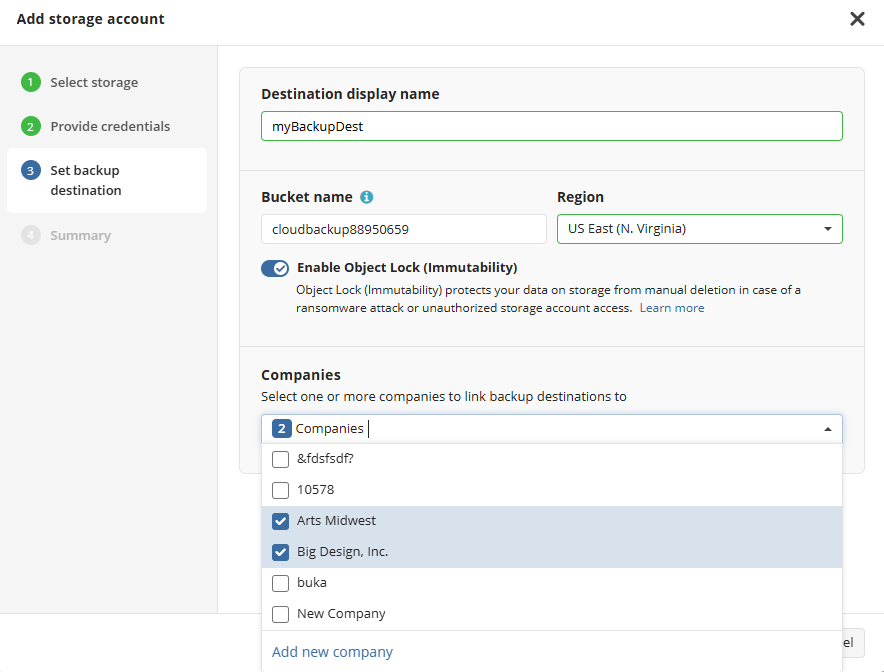
Note that it may take a while to assign companies and users to the storage account.
- Click Next.
- View the storage account summary, then click Save.
The added MSP360 (Amazon S3) storage account appears in the grid.
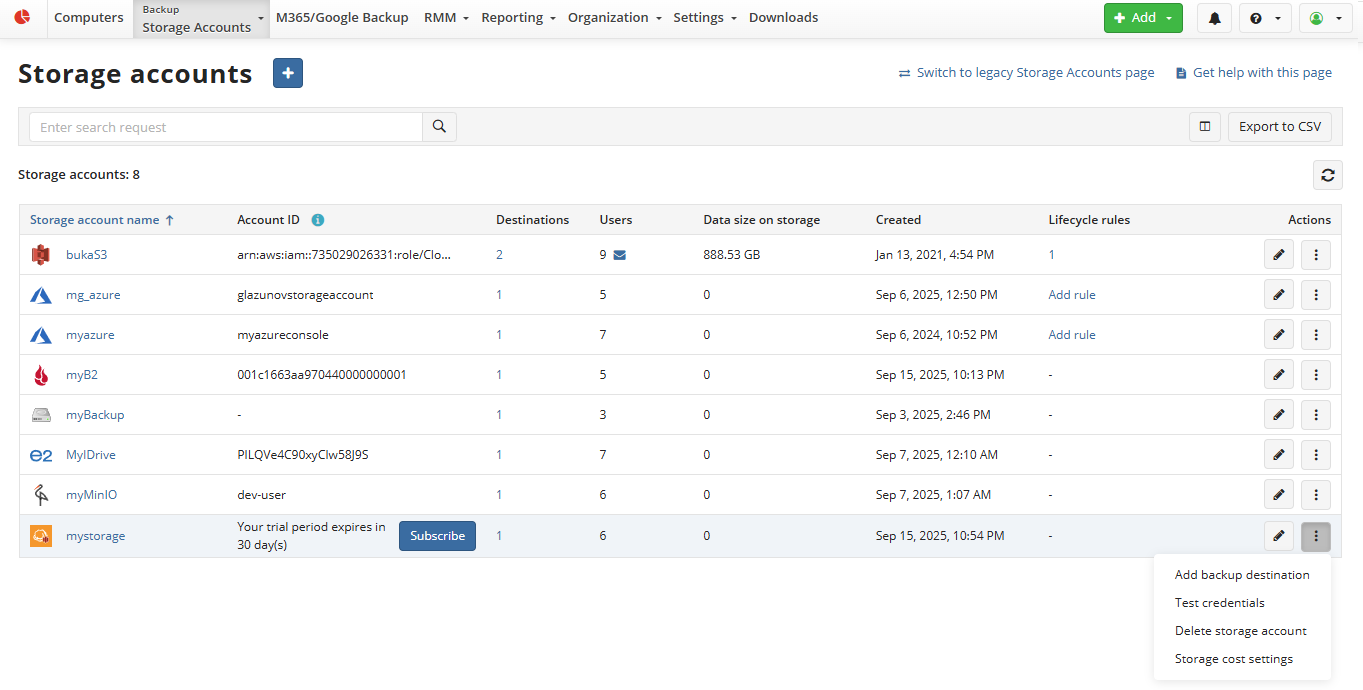
Refer to the Manage Storage Accounts chapter for more information on how to manage the added MSP360 (Amazon S3) storage account.
Basic Pricing
The price for data storage is 0.023 USD per GB per month with no additional charges for download, egress, or API requests.
Storage Class and Regions
All Amazon S3 Standard Storage in the Eligible Regions listed below costs 0.023 USD per GB per month. You can select one of the Eligible Regions listed below:
- US East (N. Virginia)
- US West (Oregon)
- EU (Ireland)
- EU (Stockholm)
Behind the Math
Calculating the Size of Units
Amazon S3 storage usage is calculated in binary gigabytes (GB), where 1GB is 2^30 bytes.
This unit of measurement is also known as a gibibyte (GiB), defined by the International Electrotechnical Commission (IEC). Similarly, 1TB is 2^40 bytes, i.e., 1024 GB.
S3 Standard storage: 1 TB per month x 1024 GB in a TB = 1024 GB per month
Pricing Calculations
Tiered price for: 1024 GB 1024 GB x 0.023 USD = 23.55 USD Total tier cost = 23.5520 USD (S3 Standard storage cost) S3 Standard cost (monthly): 23.55 USD
Note: According to the IEC recommendations, all calculations related to the use of base-2 should use terms such as TiB, GiB, MiB. However, following industry standards, we use the terms GB, TB, and PB.
Incomplete multipart uploads
Incomplete multipart uploads occur when a multipart upload starts but is not completed due to a planned or unplanned interruption. Just like AWS, MSP360 bills for the storage associated with incomplete multipart objects as long as they are kept in the storage. Aborted multipart uploads are charged according to the storage class specified when the parts were uploaded, for at least 10 days from the creation time, and then they are deleted according to the lifecycle policy pre-configured on each MSP360 (AWS) bucket.
Billing
We use a pay-as-you-go model based on the above pricing after the trial terms and conditions have been met. This is a flexible post-payment model that allows you to pay only for what you use. There is no minimum charge.
If an attempt to charge your card for an MSP360 invoice fails (for any reason, including insufficient funds, bank declines, card expiration, etc.), the steps described and shown in Table 1: Notification on Payment Failure and Action Timeline below will happen without exception.
Table 1: Notification on Payment Failure and Action Timeline
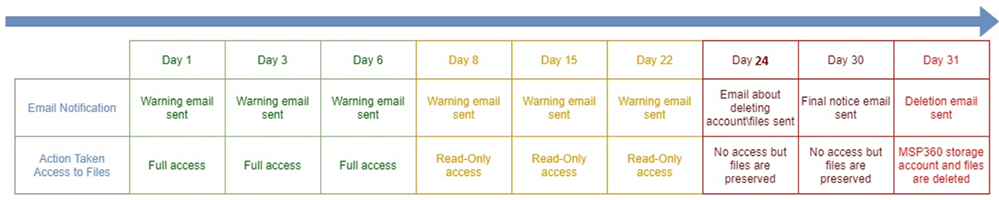
You have 7 days from the time of the first payment failure to pay the outstanding balance or we will lock your account and make it read-only.
You have 30 days from the time of the first payment failure to pay the outstanding balance or we will delete your MSP360 storage account and associated files.
Note: If you are not able to resolve your payment issues before this time, please contact us as soon as possible before the automatic system delete action is taken on your MSP360 storage account and files.
Note: Once the files have been deleted by the above process, it is not possible to recover them.
Deleting a Storage Account and Backup Data
If you delete your storage account or your bucket(s), the processing will take up to 7 days for paid accounts for security and recovery reasons. For free trial accounts, the storage and backup data will be deleted within 24 hours. This period is also included in billing.