Products: Managed Backup (Agent), Managed Backup (Web), Licensing / Sales
Article ID: m0010Last Modified: 04-Oct-2026
Assign License to Computer
To assign a license:
- Open the Management Console.
- On Computers, click the name of the computer you want to assign a license to.
- Open the License tab of the side panel.
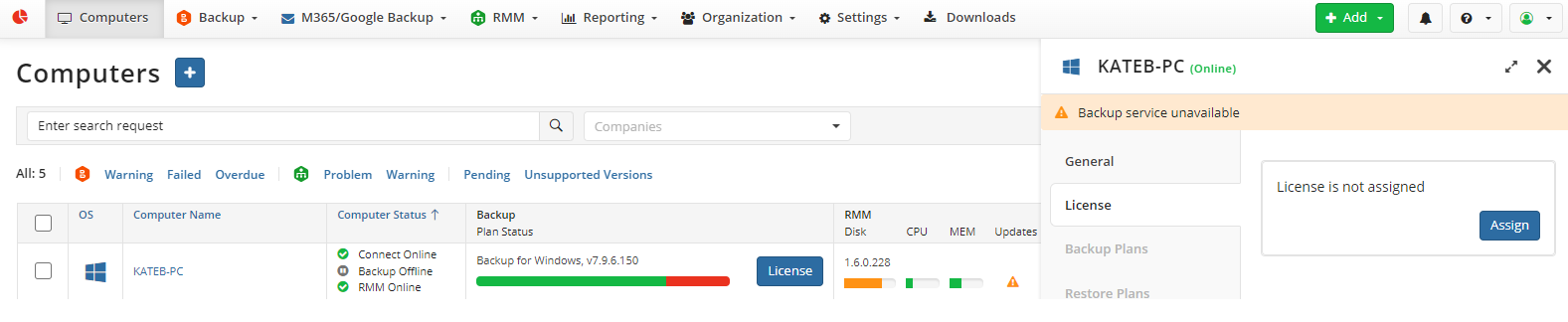
- On the License tab of the side panel, click Assign.
- In the dialog box, select an available license type, then select one of the available options.
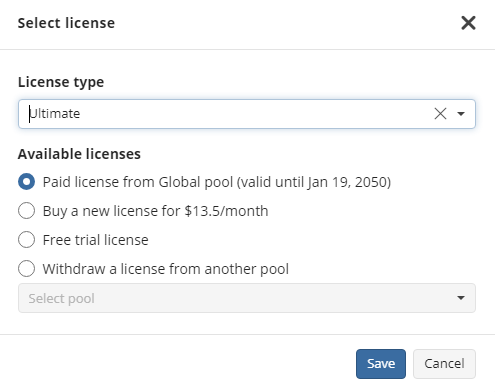
- Click Save. Licenses that are allowed by company settings are marked with an asterisk (*).