Products: Managed Backup (Agent), Managed Backup (Web), Licensing / Sales
Article ID: m0783Last Modified: 04-Oct-2026
Release Licenses
To release a license:
- Open the Management Console.
- On Computers, select the computer where you want to release the license.
- Click the license information link in the Backup column.

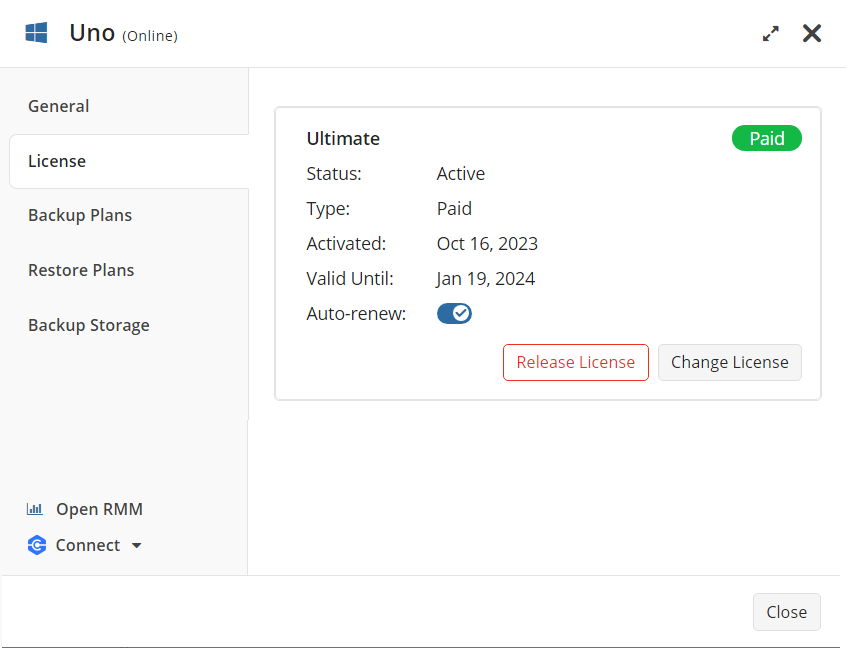
- On the License tab of the side panel, click Release License.
- In the Release License dialog box, click Release.
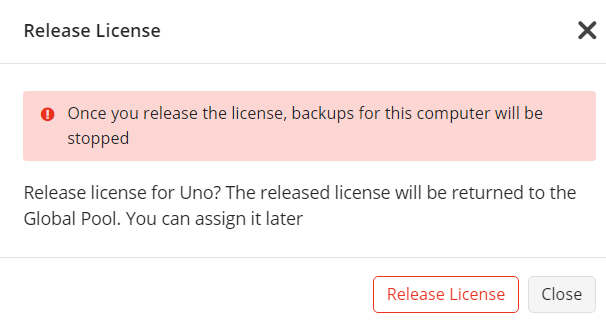
The released license will be returned to the global pool and can be assigned again. Backups on the computer from which you released the license will stop. Backup data will be kept in the users' backup storage according to the retention policy. If MSP360 storage is used, backup data will be kept according to the storage policy.