Usage History
The Usage History tab has been added to quickly identify the cost of MSP360 services for a specific customer in particular months, analyze the license pool, and perform actions on multiple licenses at once. Currently, this page is only available for newly created providers.
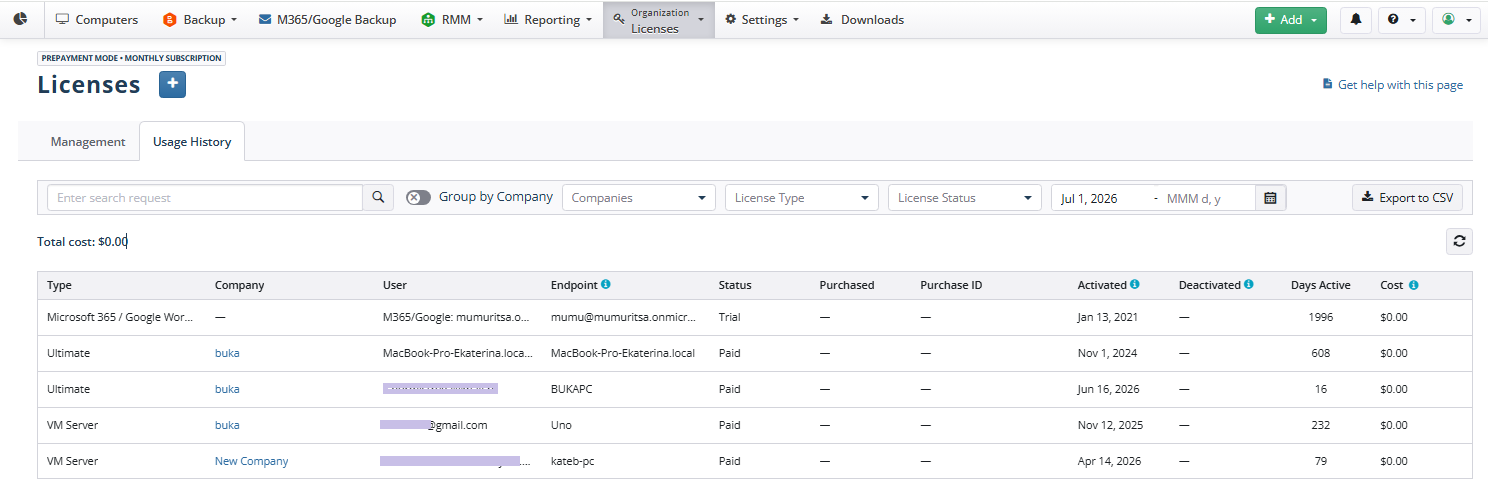
The columns of the Usage History grid contain the following information:
- Type. Specifies the license type.
- Company. Specifies the company the license is used for.
- User. Specifies the user the license is activated for.
- Endpoint. Specifies the endpoint the license is used for. This is the name of the computer if the license types are used for computers, the registered email for Microsoft 365 / Google Workspace Backup, or the domain name for SharePoint / Teams / Shared Drives licenses.
- Status. Specifies the license status.
- Active trial. Valid trial licenses.
- Expired trial. Expired trial licenses.
- Paid. Valid paid licenses.
- Expired. Expired licenses.
- Purchased. Specifies the order date.
- Purchase ID. Specifies the order ID.
- Activated. Specifies the date when the license was assigned to the endpoint.
- Deactivated. Specifies the date when the license was released from the endpoint.
- Days Active. Specifies the number of days the license has been assigned to the endpoint.
- Cost. Specifies the cost of license usage for the endpoint. For the purpose of calculating the cost, each partial day will be rounded up to a full day.
The Group by company control helps you combine costs by company.
You can export usage history data as a comma-separated value file using the Export CSV button.
Search and Filtering
You can use search and filtering to find the required license data.
The search box helps you find a license by name, endpoint, user, or purchase ID. Enter the search query and click the search icon.
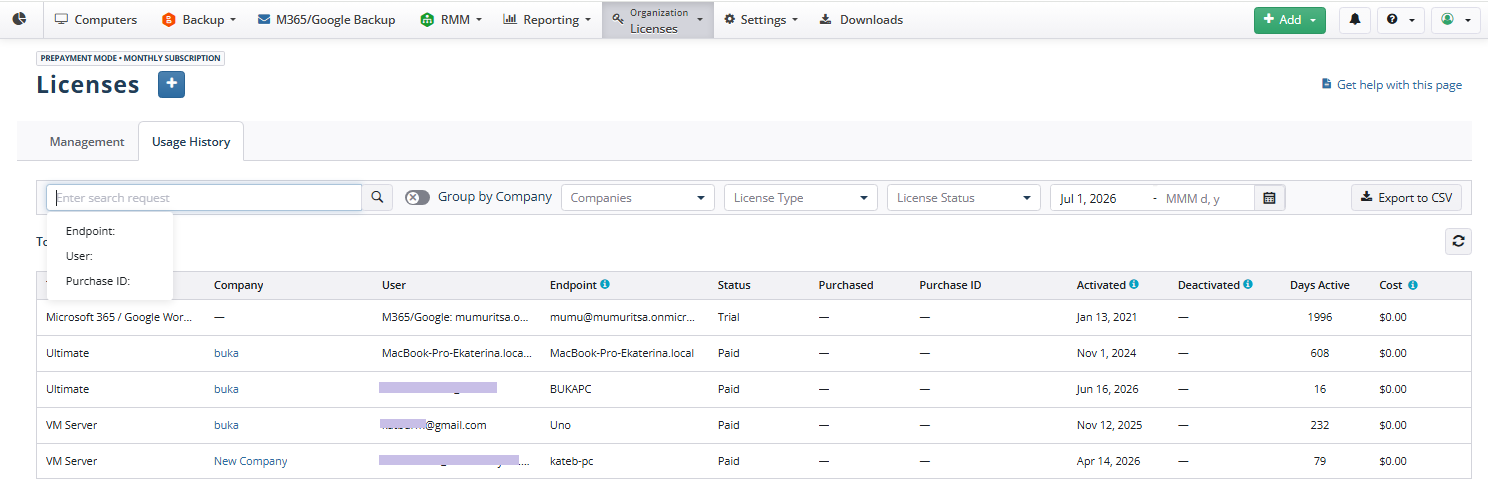
The following filters are available:
- Use the Companies filter to filter licenses by company.

- Use the License Type filter to filter licenses by type.
- Use the License Status filter to filter licenses by status.

Use the date range filter to find licenses purchased during the selected period.