Article ID: m0776Last Modified: 05-Oct-2026
Simplified Restore Wizard (BETA)
The simplified restore wizard is introduced in beta with the ability to select a different target device during the restore process, streamlining data recovery in situations where the original machine is inaccessible or being replaced. Currently, restore to another computer is available only for computers running Windows.
- On the Backup > Computers page, click the Restore wizard button.
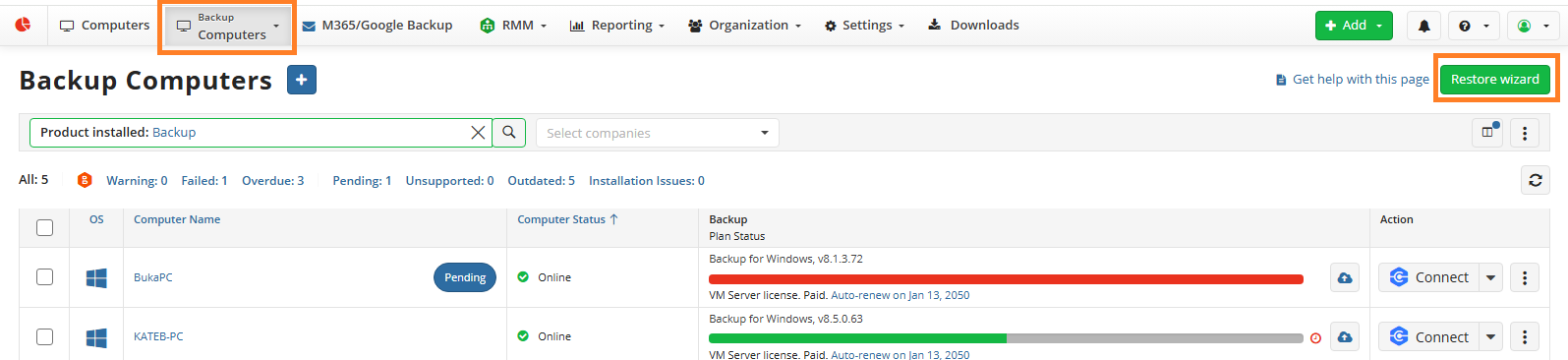
- The simplified restore wizard starts. Select the computer to restore from.
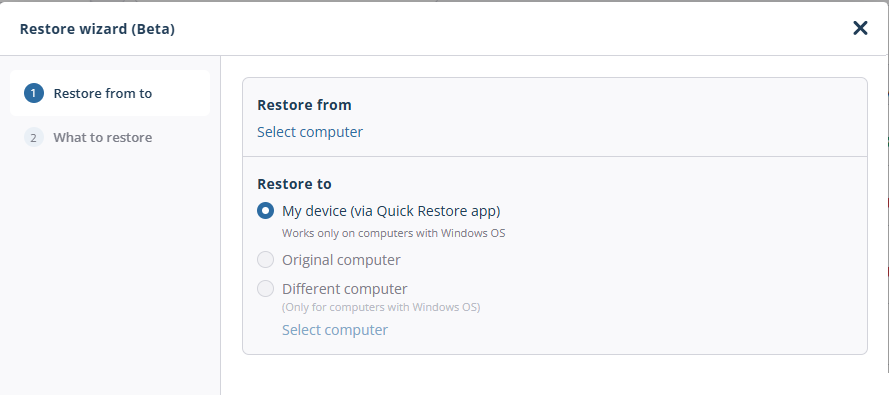
- Select the computer to restore to. Click OK.
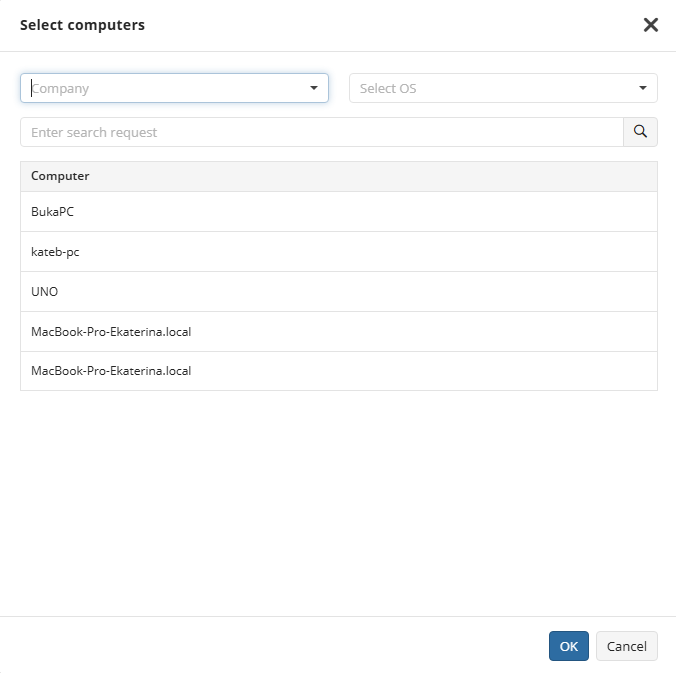
Use filters and search to quickly find the required computer in the list. Currently, restore is available only to computers running Windows.
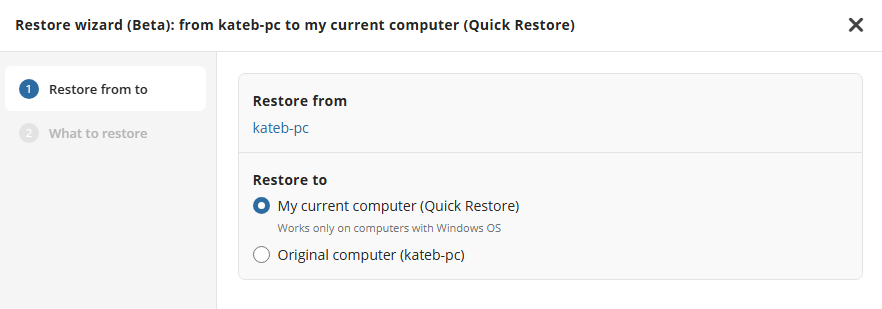
Click Next.
Select the backup destination containing the backup to restore.
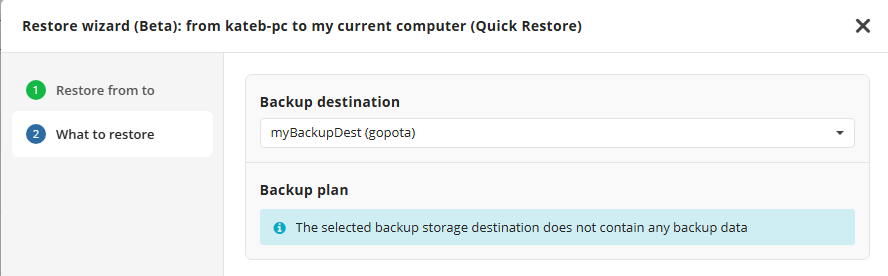
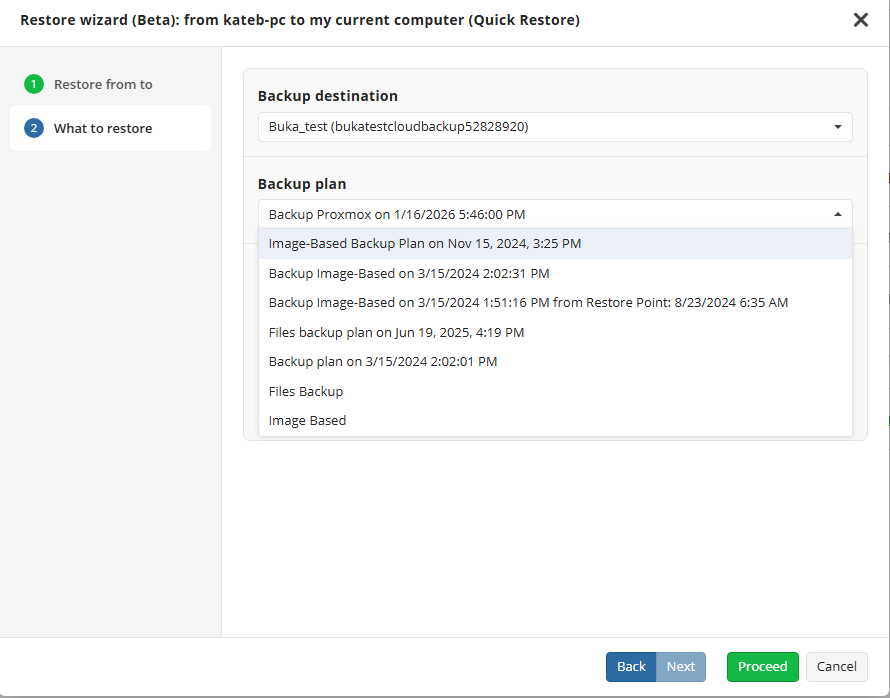
- Select the backup plan to restore from.
- Select whether you want to restore the latest version or select one of the available restore points to restore from.
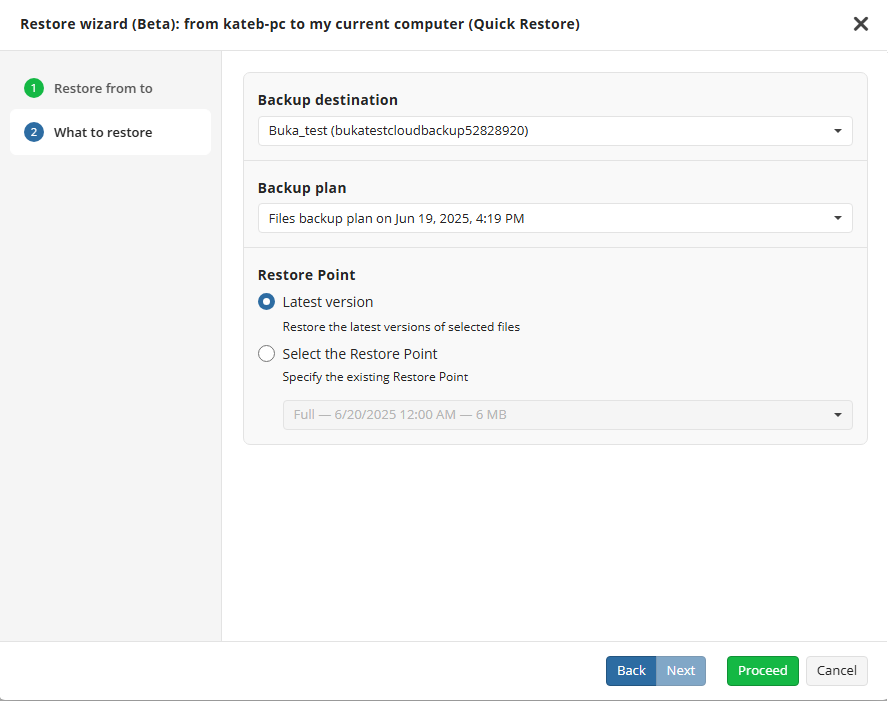
- Click Proceed to start the restore process. You will be prompted to use Quick Restore if you selected the restore to your computer, or you will be redirected to the restore wizard suitable for the selected backup plan to restore.