Syncing Billing Statistics with HaloPSA
The integration with HaloPSA allows you to sync Managed Backup Service billing statistics with HaloPSA. Starting with Management Console version 9.2, you can include the number and cost of activated licenses in the billing data sent to HaloPSA.
The read:softwarelicense and edit:softwarelicense permissions are mandatory for the billing scenario of the HaloPSA integration.
To start using the "sync billing" feature, you should perform the following:
- Map products with default asset types between HaloPSA and the Management Console as described in the Default asset types article.
- Set additional settings (optional).
- Enter cost and price settings.
- Configure billing settings for the companies.
Additional Settings
Additional settings allow you to set the supplier.
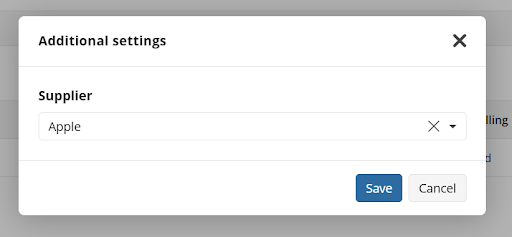
Enter the supplier name and save the selection.
Cost / Price Settings
If you have already configured cost and price settings for another integration, you can skip this step. Cost and price settings are shared across all integrations.
For each product (license) being billed, Price and Cost settings must be configured:
- On the Billing tab, click Cost/Price settings to enter the values for activated licenses.
- If Cost/Price settings are not configured, the cost and price for these products will default to 0.
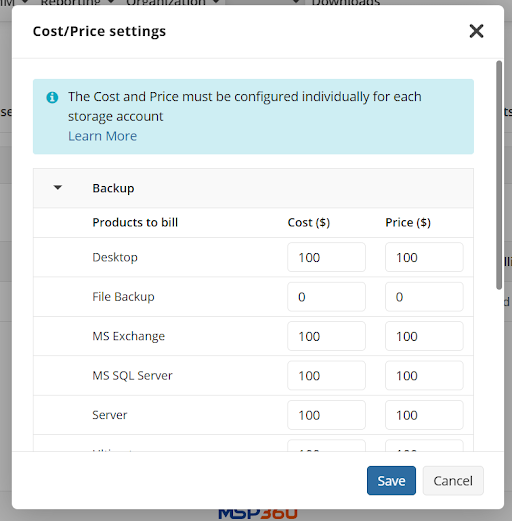
For storage account billing, refer to the Billing and Storage Usage article for instructions on setting cost and price settings for backup, restore, and storage limits.
Configure Billing Configuration for Companies
To manage billing, perform the following:
- Open the Management Console.
- In the Settings menu, select HaloPSA.
- Navigate to the Billing tab.
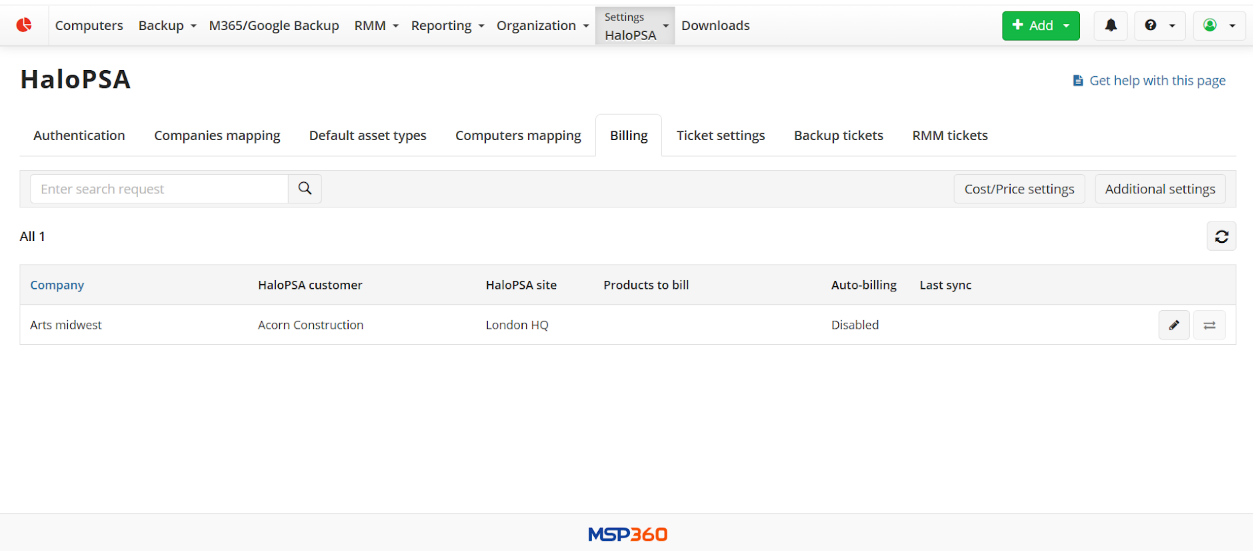
- Select the company entry and click the Edit button at the end of the company row.
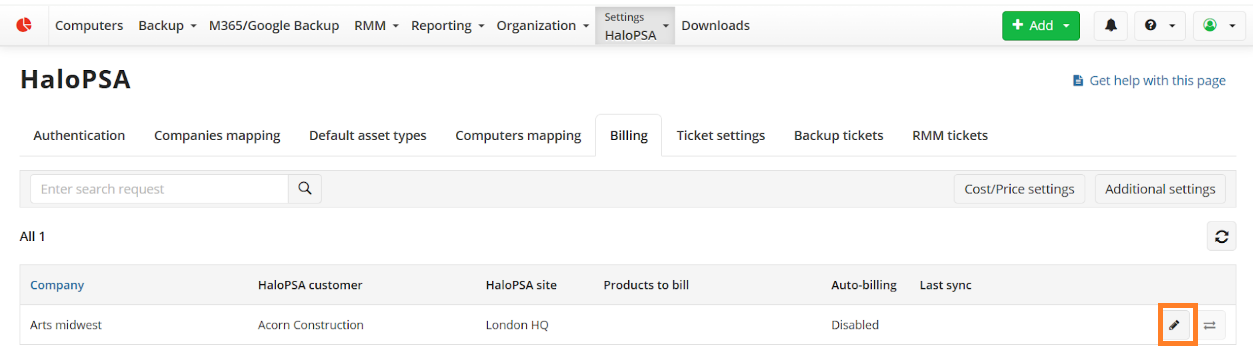
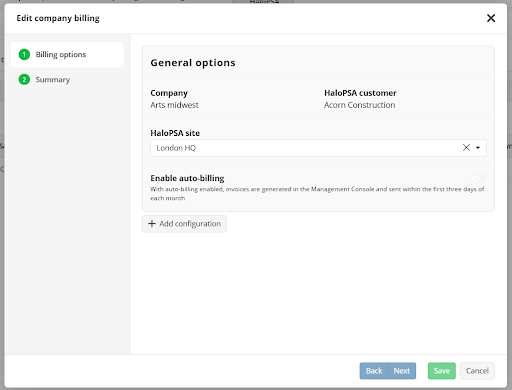
- The Edit company billing wizard starts. Select the HaloPSA site.
- Enable auto-billing if you want to send bills automatically every month. When auto-billing is enabled, invoices will be generated in the Management Console and sent in accordance with the Agreement during the first 3 days of each month. If auto-billing is disabled, sending bills manually updates the previous month's bill (if this bill is not automatic) and creates or updates the temporary bill for the current month.
- Click +Add configuration to create a billing configuration.
- Name the billing configuration.
- Select Management Console products being billed.

If HaloPSA default asset types have already been assigned for all Management Console products, the mapped products will use these asset types by default.
Select what data will be sent to HaloPSA for billing. The following settings are available depending on the selected products:
- Average Cost and Price for all selected products to bill. This option is not available if the storage accounts and licenses are selected in one configuration. It is recommended to create different configurations for licenses and storage accounts if you need this option.
- Total Cost and Price for all selected products to bill. (Quantity =1). This option is the only option available if the storage accounts and licenses are selected in one configuration.
- Quantity only for all selected products to bill
Check the billing configuration and save it. This option is not available if the storage accounts and licenses are selected in one configuration. It is recommended to create different configurations for licenses and storage accounts if you need this option.
Send Billing to HaloPSA
To send billing, perform the following:
- Open the Management Console.
- In the Settings menu, select HaloPSA.
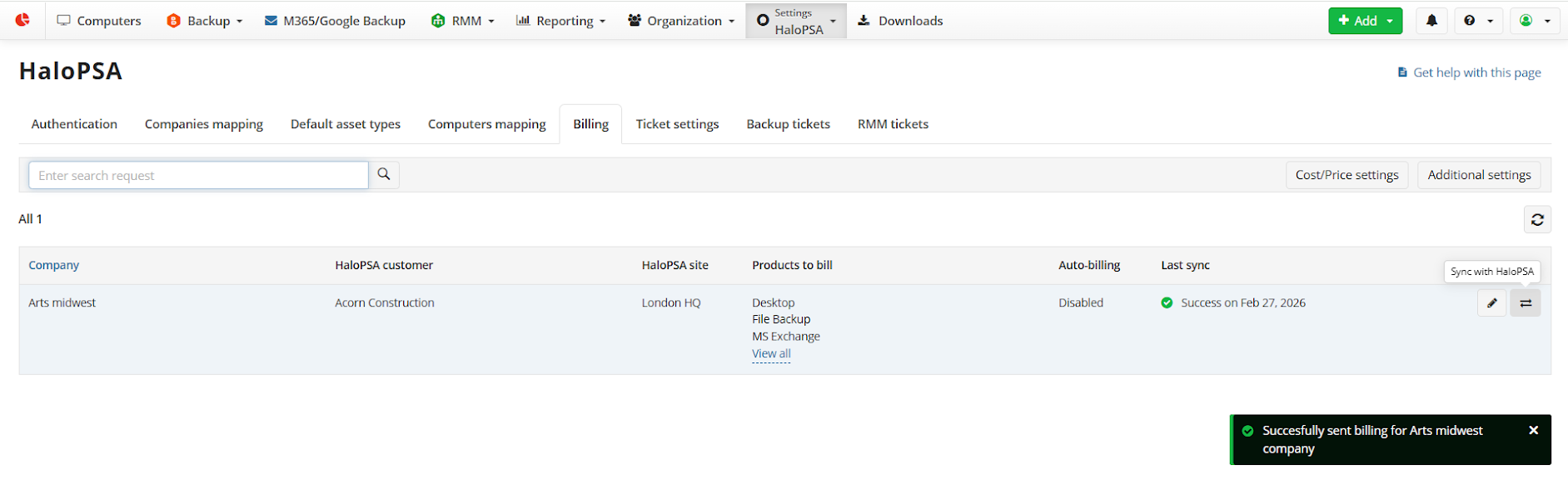
- On the Billing tab, select the billing entry and click the Sync with HaloPSA button.
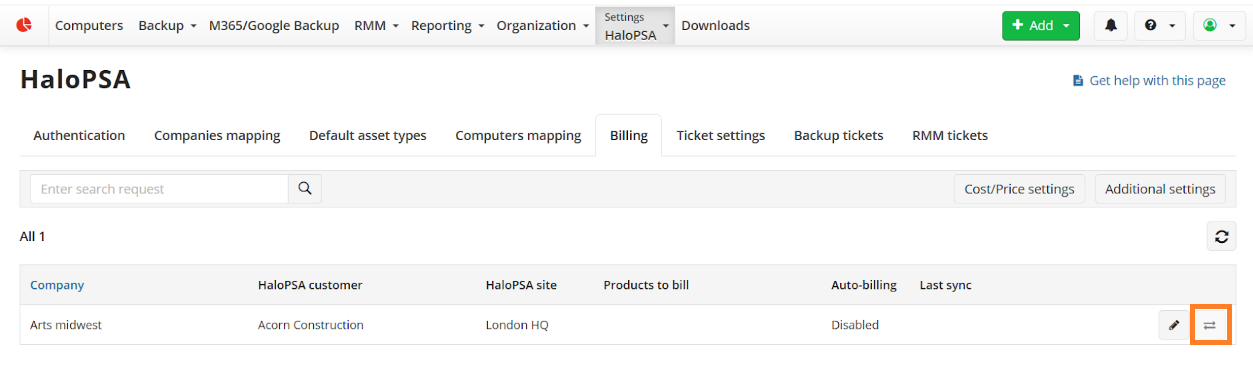
- Ensure the sync is complete.
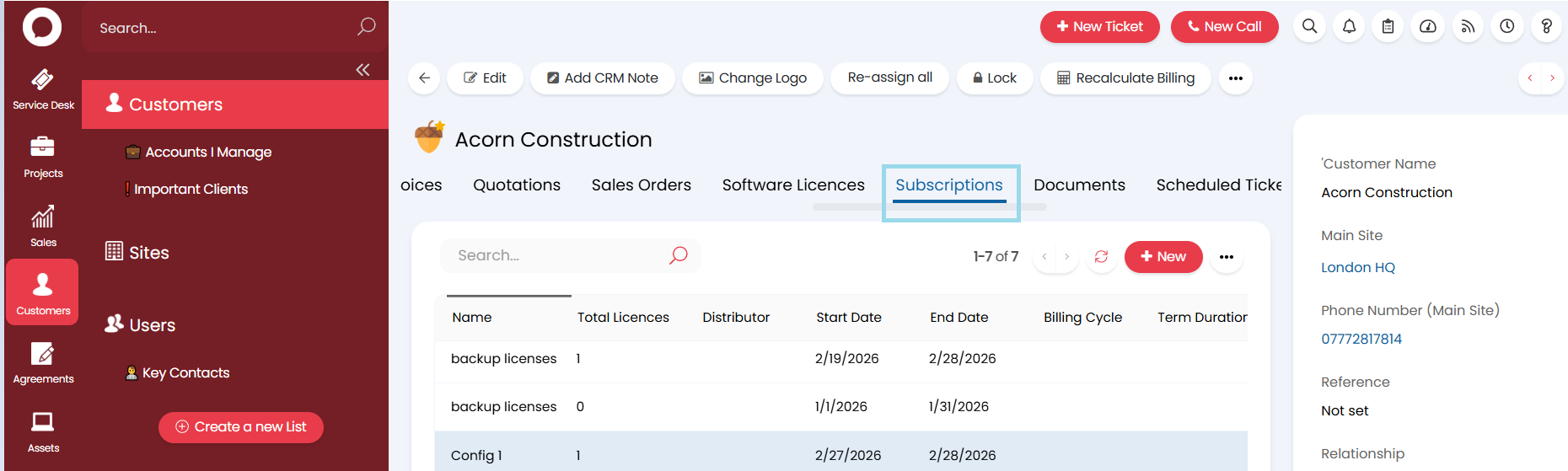
How to Find Billing Stats in HaloPSA
Open the HaloPSA console.
Select Customers, and then select the required customer.
Select the Subscriptions tab to open customer subscriptions.